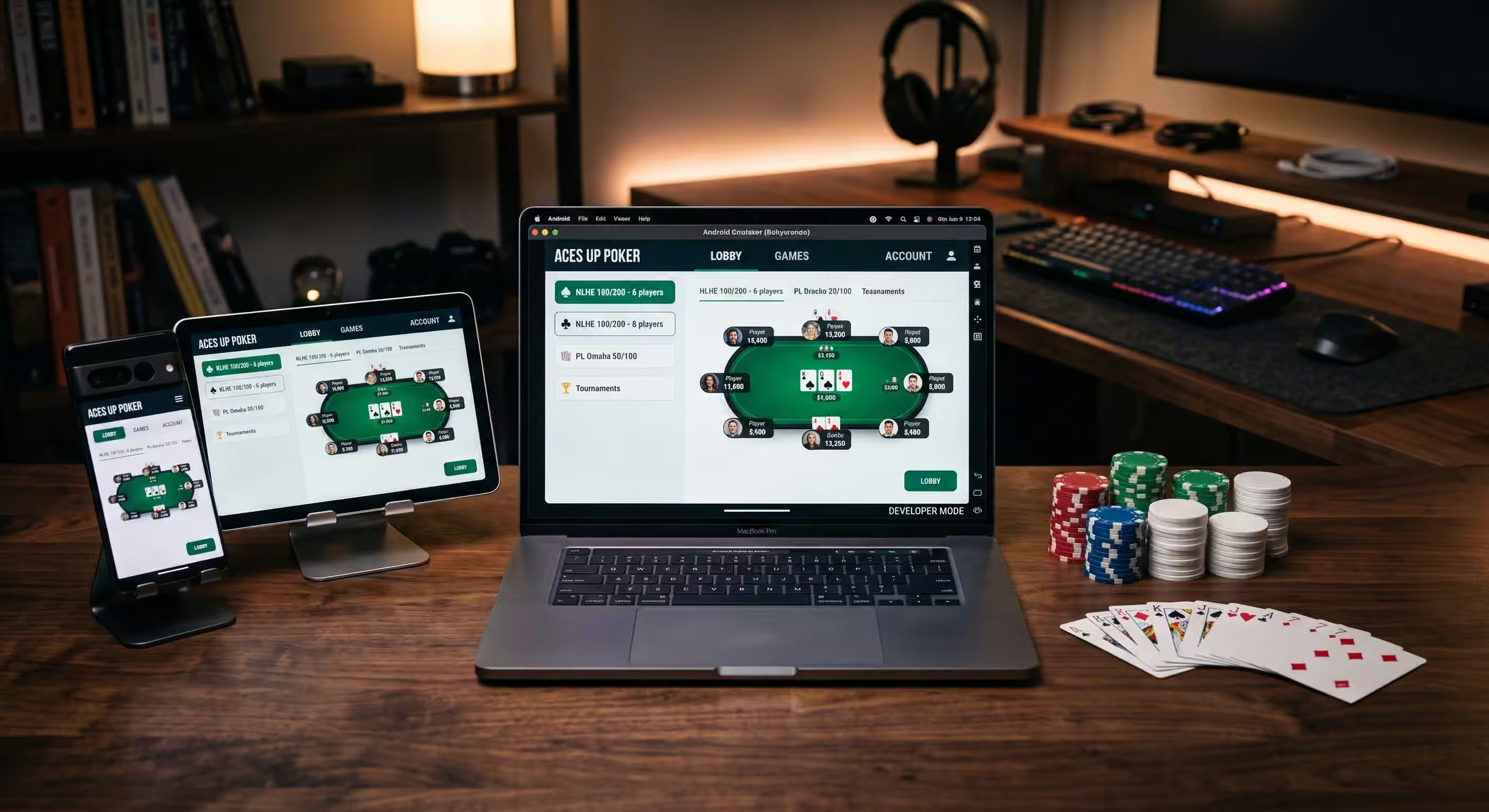
खिलाड़ी खोज रहे हैं PokerBros download आमतौर पर तीन में से एक चीज़ चाहते हैं: आधिकारिक एंड्रॉइड ऐप, आईफोन वर्शन, या पीसी पर PokerBros उपयोग करने का तरीका। यह एक हाई-इन्टेंट सर्च है क्योंकि यूजर केवल ऐप के बारे में रिसर्च नहीं कर रहा है; वे इसे इंस्टॉल करने और खेलने के लिए जगह चुनने के करीब हैं।
महत्वपूर्ण नियम सरल है: पहले ऐप को सुरक्षित रूप से डाउनलोड करें, फिर क्लब को सावधानी से चुनें। अज्ञात वेबसाइटों से रैंडम APK फ़ाइलें डाउनलोड न करें, स्क्रीनशॉट से पुराने क्लब कोड दर्ज न करें, और PokerBros को नियमित लाइसेंस प्राप्त रियल-मनी पोकर रूम के रूप में न मानें। PokerBros आधिकारिक तौर पर खुद को निजी क्लबों, वर्चुअल आइटम और अनुकूलन योग्य गेम के साथ एक सोशल पोकर ऐप के रूप में प्रस्तुत करता है। निजी क्लब और एजेंट एक अलग परत हैं जिसका खिलाड़ियों को सावधानीपूर्वक मूल्यांकन करना चाहिए।
यह 2026 गाइड एंड्रॉइड, आईओएस और पीसी के लिए सबसे सुरक्षित पोकरब्रोस डाउनलोड विकल्पों की व्याख्या करती है, इंस्टॉल करने से पहले क्या जांचना है, पंजीकरण के बाद ऐप कैसे काम करता है, कौन से गेम उपलब्ध हैं, और आपके डिवाइस पर ऐप होने के बाद एक भरोसेमंद मार्ग कैसे चुनें। प्लेटफ़ॉर्म का व्यापक अवलोकन प्राप्त करने के लिए, हमारे साथ शुरुआत करें। पोकरब्रोस समीक्षा. यह पेज विशेष रूप से इंस्टॉलेशन, डिवाइस सेटअप, सुरक्षा और डाउनलोड करने के बाद के अगले चरणों पर ध्यान केंद्रित करता है।
PokerBros Download: Quick Answer
| Device | सर्वश्रेष्ठ डाउनलोड रूट | महत्वपूर्ण चेतावनी |
|---|---|---|
| Android phone or tablet | Google Play या आधिकारिक PokerBros वेबसाइट APK मार्ग | थर्ड-पार्टी APK साइट्स से बचें जब तक कि आप जोखिम को पूरी तरह न समझते हों। |
| iPhone or iPad | ऐप्पल ऐप स्टोर | इंस्टॉल करने से पहले डेवलपर का नाम और ऐप की जानकारी ज़रूर जाँच लें। |
| Windows PC | कोई आधिकारिक नेटिव विंडोज क्लाइंट नहीं; केवल तभी एंड्रॉइड एमुलेटर का उपयोग करें जब आप थर्ड-पार्टी एमुलेटर जोखिम स्वीकार करते हों | PokerBros को Google Play या एम्यूलेटर के अंदर आधिकारिक Android स्रोत से इंस्टॉल करें। |
| Mac | मैक (Mac) के लिए कोई आधिकारिक नेटिव पोकर क्लाइंट नहीं है; एमुलेटर की उपलब्धता डिवाइस और ऑपरेटिंग सिस्टम पर निर्भर करती है | रैंडम "Mac PokerBros क्लाइंट" फ़ाइलों पर भरोसा न करें। |
| इंस्टॉलेशन के बाद | एक सत्यापित क्लब का रास्ता चुनें | एक काम करने वाला ऐप किसी भी निजी क्लब, एजेंट, यूनियन या रेकबैक ऑफ़र की पुष्टि नहीं करता है। |
आधिकारिक PokerBros वेबसाइट प्लेटफ़ॉर्म एक्सेस प्रदान करती है और ऐप को निजी पोकर क्लब बनाने, टेबल होस्ट करने और अनुकूलन योग्य गेम खेलने के लिए एक स्थान के रूप में वर्णित करती है। Google Play और Apple App Store लिस्टिंग भी PokerBros को दोस्तों, अभ्यास, टूर्नामेंट, SNGs, रिंग गेम्स और निजी क्लब प्ले के लिए एक पोकर ऐप के रूप में वर्णित करती हैं।
क्यों “PokerBros डाउनलोड” किसी अन्य क्लब-आईडी (Club-ID) लेख से बेहतर विषय है
कई PokerBros खोजों का गलत जवाब देना खतरनाक है। "सक्रिय PokerBros आईडी" का वादा करने वाला एक पेज आसानी से पुराना या भ्रामक हो सकता है क्योंकि क्लब रूट, नाम, एजेंट, यूनियन की स्थिति और सहायता संपर्क बदलते रहते हैं। एक अविश्वसनीय आईडी प्रकाशित करना कुछ भी प्रकाशित न करने से बदतर है क्योंकि यह खिलाड़ियों को गलत क्लब में भेज सकता है।
डाउनलोड गाइड अलग है। यह बिना संख्याएँ बनाए उच्च-इरादे वाली क्वेरी का उत्तर देता है। खिलाड़ियों को यह जानने की आवश्यकता है कि ऐप कहाँ से प्राप्त करें, नकली APK से कैसे बचें, पीसी एक्सेस वास्तव में कैसे काम करता है, और क्लब में शामिल होने से पहले क्या सत्यापित करना है। यह उन दावों को किए बिना मूल्य बनाता है जिन्हें हम साबित नहीं कर सकते।
ऐप इंस्टॉल हो जाने के बाद, खिलाड़ी वर्तमान विकल्पों की तुलना कर सकते हैं Bluffing Monkeys क्लब सूची और हमारी गाइड 2026 में पोकरब्रोस पर कहाँ खेलेंजोखिम भरे सार्वजनिक आईडी से भरे एक स्थिर लेख की तुलना में वे पेज वर्तमान क्लब मार्गों के लिए एक बेहतर जगह हैं।
How to Download PokerBros on Android
एंड्रॉइड उपयोगकर्ताओं के पास आम तौर पर दो सुरक्षित रास्ते होते हैं: Google Play लिस्टिंग जहाँ उपलब्ध हो, या आधिकारिक PokerBros वेबसाइट का सीधा एंड्रॉइड डाउनलोड रास्ता। Google Play लिस्टिंग PokerBros को नो-लिमिट होल्डम, फिक्स्ड लिमिट होल्डम, पॉट-लिमिट ओमाहा, PLO8, फिक्स्ड लिमिट ओमाहा, शॉर्ट डेक, OFC, SNGs, MTTs, प्राइवेट पोकर रूम और ग्लोबल गोल्ड लॉबी का समर्थन करने के रूप में वर्णित करती है।
Use this process:
- अपने एंड्रॉइड डिवाइस पर Google Play खोलें।
- “PokerBROS: Play NLH, PLO, OFC” खोजें।
- जांचें कि डेवलपर ThinkLean / Thinklean Limited है या स्टोर पेज पर दिखाया गया वर्तमान आधिकारिक प्रकाशक।
- इंस्टॉल करने से पहले ऐप का विवरण और आयु रेटिंग पढ़ें।
- ऐप इंस्टॉल करें और खोलें।
- अपना खाता केवल ऐप के अंदर बनाएं।
- क्लब रूट को सत्यापित करने से पहले कोई भी निजी क्लब कोड दर्ज न करें।
अगर आपके क्षेत्र में Google Play उपलब्ध नहीं है, तो आधिकारिक PokerBros वेबसाइट सीधा APK डाउनलोड करने का तरीका दिखा सकती है। अगर आप APK का उपयोग करते हैं, तो स्रोत मायने रखता है। “फ्री PokerBros APK” न खोजें और न ही मिलने वाला पहला लिंक इंस्टॉल करें। थर्ड-पार्टी APK साइटें पुरानी, बदली हुई या असुरक्षित फाइलें दे सकती हैं। यदि कोई फाइल अजीब अनुमतियाँ मांगती है या किसी रैंडम टेलीग्राम चैनल से आती है, तो रुक जाएं।
How to Download PokerBros on iPhone or iPad
iOS उपयोगकर्ताओं के लिए, सबसे सुरक्षित रास्ता Apple App Store है। App Store लिस्टिंग PokerBROS को “PokerBROS – Your Poker App” के रूप में पहचानती है, इसे इन-ऐप खरीदारी के साथ मुफ्त के रूप में सूचीबद्ध करती है, और निजी पोकर रूम, फ्रेंड-आधारित गेम, NLH, PLO, शॉर्ट डेक, OFC, SNGs, और MTTs का वर्णन करती है।
Use this process:
- Open the Apple App Store.
- “PokerBROS” खोजें।
- सटीक ऐप नाम और प्रकाशक विवरण जांचें।
- आयु रेटिंग (age rating), डिवाइस की अनुकूलता (compatibility) और गोपनीयता की जानकारी की समीक्षा करें।
- ऐप स्टोर के माध्यम से ऐप इंस्टॉल करें।
- ऐप के अंदर अपना अकाउंट बनाएं।
- अपना लॉगिन निजी रखें और सत्यापन कोड कभी साझा न करें।
अजनबियों से आईओएस (iOS) प्रोफाइल, अनसाigned बिल्ड, या “स्पेशल PokerBros आईफोन वर्शन” इंस्टॉल न करें। यदि ऐप आपके देश के स्टोर में उपलब्ध नहीं है, तो इसका मतलब यह नहीं है कि कोई रैंडम डाउनलोड लिंक सुरक्षित या वैध है।
क्या आप पीसी पर PokerBros डाउनलोड कर सकते हैं?
पारंपरिक ऑनलाइन पोकर रूम की तरह कोई व्यापक रूप से प्रचारित आधिकारिक नेटिव PokerBros विंडोज क्लाइंट नहीं है जो डेस्कटॉप इंस्टॉलर पेश कर सके। पीसी प्ले का मतलब आमतौर पर BlueStacks या किसी अन्य एंड्रॉइड-एम्यूलेशन वातावरण जैसे एम्यूलेटर के माध्यम से एंड्रॉइड ऐप चलाना होता है।
यह अंतर मायने रखता है। एम्यूलेटर एक थर्ड-पार्टी टूल है, जो PokerBros डेस्कटॉप क्लाइंट के समान नहीं है। यह खिलाड़ियों को बड़ी स्क्रीन, कीबोर्ड, माउस और डेस्कटॉप वर्कस्पेस का उपयोग करने में मदद कर सकता है, लेकिन यह अधिक चर भी जोड़ता है: प्रदर्शन, संगतता, सुरक्षा, सॉफ़्टवेयर अपडेट, और क्या कोई विशेष क्लब या टूल सेटअप इसकी अनुमति देता है।
यदि आप पीसी का रास्ता चुनते हैं, तो इसे आसान रखें:
- एम्यूलेटर केवल उसकी आधिकारिक वेबसाइट से डाउनलोड करें।
- इसे अपने नियंत्रण वाले कंप्यूटर पर इंस्टॉल करें।
- जहां उपलब्ध हो वहां एम्यूलेटर के अंदर Google Play में साइन इन करें।
- Google Play या आधिकारिक Android स्रोत से PokerBros इंस्टॉल करें।
- “PC अनलॉक” संस्करण के रूप में विज्ञापित संशोधित APK फ़ाइलों से बचें।
- प्रतिबंधित वास्तविक समय सहायता, बॉट या स्वचालन (ऑटोमेशन) का उपयोग न करें।
- इसके आस-पास कोई रूटीन बनाने से पहले जाँच लें कि आपका क्लब एमुलेटर से खेलने की अनुमति देता है या नहीं।
पीसी का रास्ता कुछ खिलाड़ियों के लिए उपयोगी है, लेकिन शुरुआती लोगों को पहले सेटअप को ज़्यादा जटिल नहीं बनाना चाहिए। पहले दिन एमुलेटर, हैंड कन्वर्टर, एचयूडी और थर्ड-पार्टी टूल जोड़ने की तुलना में मोबाइल पर साफ-सुथरा इंस्टॉलेशन आमतौर पर सरल और सुरक्षित होता है।
इंस्टॉल करने से पहले सिस्टम और डिवाइस की चेकलिस्ट
PokerBros डाउनलोड करने से पहले, इन मूल बातों की जाँच करें:
- स्टोरेज: सुनिश्चित करें कि डिवाइस में ऐप और अपडेट के लिए पर्याप्त खाली जगह है।
- ऑपरेटिंग सिस्टम: ऐप स्टोर द्वारा दिखाए गए समर्थित एंड्रॉइड या आईओएस संस्करण का उपयोग करें।
- नेटवर्क: स्थिर इंटरनेट कनेक्शन का उपयोग करें, खासकर टूर्नामेंट के लिए।
- बैटरी: लंबे सत्र मोबाइल उपकरणों को जल्दी खत्म कर सकते हैं।
- प्रतिभूति: अपने डिवाइस को लॉक और अपडेट रखें।
- खाता गोपनीयता: कभी भी अपना पासवर्ड, निजी खाता डेटा के स्क्रीनशॉट, या सत्यापन कोड साझा न करें।
डिवाइस की क्वालिटी उतनी मायने रखती है जितनी कई खिलाड़ी सोचते नहीं हैं। लैग, गलती से टच होना, डिस्कनेक्ट होना और छोटी स्क्रीन की गलतियां एक अच्छे गेम को खराब बना सकती हैं। इस पर हमारा लेख डिवाइस स्विचिंग और ऑनलाइन पोकर स्थिरता यह बताता है कि सत्र के बीच में स्क्रीन बदलने से निर्णय की गुणवत्ता कैसे प्रभावित हो सकती है।
PokerBros इंस्टॉल करने के बाद क्या होता है?
ऐप इंस्टॉल करने से आप स्वचालित रूप से किसी निजी क्लब में नहीं पहुँच जाते। PokerBros में सार्वजनिक और सामाजिक सुविधाएँ हैं, लेकिन अधिकांश निजी क्लब खिलाड़ियों को एक विशिष्ट क्लब रूट की आवश्यकता होती है। इसमें आमतौर पर एक क्लब आईडी और कभी-कभी रेफरल आईडी शामिल होती है, जो सेटअप पर निर्भर करती है।
इस चरण में जल्दबाजी न करें। गलत क्लब समय बर्बाद कर सकता है, समर्थन समस्याएं पैदा कर सकता है, या आपको खराब शर्तों के संपर्क में ला सकता है। पूछ कर शुरू करें कि आप वास्तव में क्या चाहते हैं:
- क्या आप NLH, PLO4, PLO5, PLO6, OFC, टूर्नामेंट, या SNGs चाहते हैं?
- क्या आप US, UK, यूरोपीय, एशियाई, LATAM, या ऑस्ट्रेलियाई समय के दौरान खेलते हैं?
- क्या आपको लो स्टेक चाहिए या आप मिड स्टेक के लिए अनुभवी हैं?
- क्या आप एक स्वतंत्र क्लब चाहते हैं या यूनियन रूट?
- क्या आप क्लब के नियमों, समर्थन और प्रचार की शर्तों को समझते हैं?
का उपयोग करें सर्वश्रेष्ठ PokerBros क्लबों की चेकलिस्ट गेम की गुणवत्ता और सुरक्षा के आधार पर विकल्पों की तुलना करने के लिए, बजाय इसके कि कोई व्यक्ति आक्रामक रूप से प्रचारित करे, पहले क्लब में शामिल हो जाएं।
महत्वपूर्ण: PokerBros एक मानक रियल-मनी पोकर रूम नहीं है
यह वह खंड है जिसे खिलाड़ियों को किसी भी निजी क्लब में शामिल होने से पहले पढ़ना चाहिए। PokerBros की आधिकारिक शर्तें वर्चुअल आइटम जैसे डायमंड्स, चिप्स या गोल्ड कॉइन्स का वर्णन करती हैं और बताती हैं कि वे वास्तविक दुनिया के बैलेंस या संग्रहीत मूल्य का प्रतिनिधित्व नहीं करती हैं। उन्हीं शर्तों में कहा गया है कि उपयोगकर्ताओं को गेम के बाहर वास्तविक पैसे या मूल्य के लिए वर्चुअल आइटम बेचने या एक्सचेंज करने की अनुमति नहीं है।
PokerBros के आधिकारिक क्लब-प्रमोशन नियम भी स्पष्ट हैं: PokerBROS एक ऑनलाइन सोशल गेमिंग प्लेटफॉर्म है और कोई भी रियल-मनी सेवा प्रदान नहीं करता है। वे यह भी बताते हैं कि PokerBros स्वतंत्र रूप से प्रचारित क्लबों या यूनियनों के संचालन में शामिल नहीं है और प्रमोटरों को PokerBros को रियल-मनी एप्लिकेशन के रूप में प्रस्तुत नहीं करना चाहिए।
इसका मतलब है कि खिलाड़ियों को तीन चीजों को अलग करना होगा:
- ऐप: PokerBros सॉफ़्टवेयर और आधिकारिक नियम।
- क्लब: ऐप का उपयोग करके एक निजी समुदाय या रूट।
- कोई भी बाहरी व्यवस्था: ऐप की आधिकारिक वर्चुअल-आइटम प्रणाली से परे किसी एजेंट, प्रबंधक या निजी संपर्क के साथ चर्चा की गई कोई भी चीज़।
कानूनी और क्लब-संरचना स्पष्टीकरण के लिए, पढ़ें क्या पोकरब्रोस जुआ है? और पोकर एजेंटों और क्लब-आधारित ऐप्स के लिए संपूर्ण गाइड.
PokerBros पर उपलब्ध गेम्स
ऐप-स्टोर विवरणों में विभिन्न प्रकार के प्रारूपों की सूची दी गई है। ऐप के अंदर उपलब्धता लॉबी, क्लब, यूनियन, क्षेत्र और शेड्यूल पर निर्भर करती है, लेकिन ये मुख्य श्रेणियां हैं जिन्हें खिलाड़ी डाउनलोड करने के बाद खोजते हैं।
नो-लिमिट होल्डम
अधिकांश खिलाड़ियों के लिए NLH को समझना सबसे आसान प्रारूप है और शुरुआती लोगों के लिए सबसे अच्छा शुरुआती बिंदु है। टेबल जोड़ने से पहले, समीक्षा करें पोकर में स्थिति क्यों मायने रखती है और मुफ्त का उपयोग करें रेंज विश्लेषण टूल सामान्य बोर्ड टेक्सचर का अध्ययन करने के लिए सत्रों के बाद।
पॉट-लिमिट ओमाहा
PLO फॉर्मेट कई PokerBros क्लबों में आम हैं, खासकर PLO4, PLO5, और कभी-कभी PLO6। ये गेम बड़े उतार-चढ़ाव पैदा करते हैं और इनके लिए मजबूत बैंकroll अनुशासन की आवश्यकता होती है। पढ़ें पॉट-लिमिट ओमाहा गाइड और PLO6 शुरुआती-रेंज गाइड उच्च-विचरण वाले खेलों में कूदने से पहले।
ओपन-फेस चाइनीज
OFC में होल्डम से अलग स्कोरिंग, पेसिंग और जोखिम पैटर्न हैं। खिलाड़ियों को OFC के आसपास एक क्लब चुनने से पहले रॉयल्टी, फाउलिंग और फैंटेसी-लैंड नियमों को समझना चाहिए। शुरुआत करें पोकरब्रोस ओएफसी समझाया गया.
बॉम्ब पॉट्स और विशेष प्रारूप
कुछ क्लब और यूनियन बॉम्ब पॉट्स, डबल बोर्ड फॉर्मेट और एक्शन-हैवी टेबल को बढ़ावा देते हैं। ये मजेदार लेकिन अस्थिर हो सकते हैं। पढ़ें PokerBros बॉम्ब पॉट समझाया गया ऐसे गेम में शामिल होने से पहले जहाँ कई खिलाड़ी फ्लॉप देखते हैं और इक्विटी बहुत करीब होती है।
गोल्ड लॉबी बनाम प्राइवेट क्लब
कई नए उपयोगकर्ता ग्लोबल गोल्ड लॉबी को निजी क्लब गेम के साथ भ्रमित करते हैं। गोल्ड लॉबी सार्वजनिक ऐप अनुभव का हिस्सा है, जबकि निजी क्लब विशिष्ट समुदाय या मार्ग हैं जिनके लिए क्लब आवेदन की आवश्यकता हो सकती है।
यदि आप डाउनलोड के बाद बस ऐप को एक्सप्लोर कर रहे हैं, तो गोल्ड लॉबी आपको इंटरफ़ेस समझने में मदद कर सकती है। यदि आप किसी विशेष क्लब की तलाश में हैं, तो आपको सीधा रास्ता सत्यापित करने की आवश्यकता है। PokerBros Gold Lobby guide समझाता है कि नए उपयोगकर्ता अक्सर क्या चूक जाते हैं।
नकली PokerBros डाउनलोड से कैसे बचें
नकली डाउनलोड पेज खिलाड़ियों के लिए टेबल पर बैठने से पहले ही मुसीबत में पड़ने का सबसे आसान तरीका है। इस चेकलिस्ट का उपयोग करें:
- जब उपलब्ध हो तो Apple App Store या Google Play को प्राथमिकता दें।
- यदि आवश्यक हो तो सीधे एपीके एक्सेस के लिए आधिकारिक पोकरब्रोस वेबसाइट का उपयोग करें।
- APK मिरर से बचें जो पुराने संस्करण या आक्रामक विज्ञापन दिखाते हैं।
- अज्ञात एजेंटों या सोशल अकाउंट्स द्वारा भेजी गई फाइलों को इंस्टॉल न करें।
- “मोडेड,” “अनलिमिटेड चिप्स,” या “अनलॉक” संस्करण इंस्टॉल न करें।
- ऐप खोलने से पहले ऐप अनुमतियों की जाँच करें।
- उसी आधिकारिक तरीके से अपडेट करें जिसका उपयोग आपने इंस्टॉल करने के लिए किया था।
- संदिग्ध फ़ाइलों को तुरंत हटा दें।
इंस्टॉलेशन के बाद, स्कैम अक्सर नकली फ़ाइलों से नकली सपोर्ट और नकली क्लब के दावों की ओर बढ़ जाते हैं। पढ़ें PokerBros घोटाले गाइड किसी अजनबी के माध्यम से जुड़ने से पहले जो गारंटीड मुनाफे, गुप्त सॉफ्ट गेम्स, या तुरंत हाई rakeback का वादा करता है।
डाउनलोड करने के बाद रेकबैक और प्रचार
खिलाड़ी अक्सर PokerBros को इसलिए इंस्टॉल करते हैं क्योंकि उन्होंने रेकबैक या एक मजबूत क्लब प्रमोशन के बारे में सुना है। रेकबैक मायने रख सकता है, लेकिन यह पहला निर्णय नहीं होना चाहिए। पहले ऐप, फिर क्लब, फिर गेम, फिर प्रमोशन को सत्यापित करें।
किसी इनाम के कारण क्लब चुनने से पहले ये सवाल पूछें:
- कौन से गेम और स्टेक योग्य हैं?
- क्या रेकबैक डील्ट, कॉन्ट्रिब्यूटेड, या वेटेड-कॉन्ट्रिब्यूटेड है?
- क्या एमटीटी, एसएनजी, ओएफसी और बॉम्ब पॉट्स शामिल हैं?
- When is the reward calculated?
- विवादों को कौन संभालता है?
- क्या शर्तें बिना सूचना के बदल सकती हैं?
पढ़ें पोकरब्रोस रेकबैक समझाया गया, फिर उपयोग करें पोकर रेकबैक कैलकुलेटर एक हेडलाइन प्रतिशत द्वारा सौदे का मूल्यांकन करने के बजाय वास्तविक संख्याओं के साथ।
अपने पहले सत्र से पहले सुरक्षित सेटअप चेकलिस्ट
- Download PokerBros from an official source.
- एक अद्वितीय पासवर्ड के साथ अपना खाता बनाएं।
- पुष्टि करें कि आपका डिवाइस लंबे सत्रों के लिए काफी स्थिर है।
- फॉर्मेट, ट्रैफिक, स्टेक्स और सपोर्ट के आधार पर एक क्लब चुनें।
- आवेदन करने से पहले ऐप के अंदर क्लब का नाम सत्यापित करें।
- नियम और प्रमोशन की शर्तें पढ़ें।
- अपनी चाहत या अहंकार से कम दांव (stakes) से शुरुआत करें।
- क्लब और प्रारूप के अनुसार प्रत्येक सत्र को अलग से ट्रैक करें।
- थकान या झुंझलाहट से निर्णय प्रभावित होने से पहले ब्रेक लें।
का उपयोग करें पोकर सत्र ट्रैकर पहले दिन से और समीक्षा करें जिम्मेदार गेमिंग पोकरब्रोस गाइड वॉल्यूम बढ़ाने से पहले। ऐप डाउनलोड करना आसान है; एक स्थायी रूटीन बनाना असली चुनौती है।
Common PokerBros Download Problems
ऐप मेरे देश में उपलब्ध नहीं है
उपलब्धता क्षेत्र और डिवाइस स्टोर के हिसाब से अलग हो सकती है। स्थानीय नियमों और ऐप की शर्तों को जांचे बिना किसी भी अजीब तरीके का इस्तेमाल न करें। अगर आपके यहाँ ऐप प्रतिबंधित है, तो वह नियम मायने रखता है।
APK इंस्टॉल नहीं होगा
फ़ाइल दूषित, पुरानी, आपके डिवाइस सेटिंग्स द्वारा अवरुद्ध, या अविश्वसनीय स्रोत से हो सकती है। संदिग्ध फ़ाइलों को हटा दें और केवल आधिकारिक मार्ग का उपयोग करें।
लॉगिन धीमा है या विफल हो जाता है
अपना कनेक्शन, ऐप संस्करण और डिवाइस अपडेट जांचें। यदि समस्या बनी रहती है, तो पोकरब्रोस सहायता से आधिकारिक ऐप या आधिकारिक ईमेल चैनल के माध्यम से संपर्क करें, न कि किसी यादृच्छिक क्लब प्रमोटर के माध्यम से।
मुझे मेरा क्लब नहीं मिल रहा है
क्लब रूट, आईडी, रेफरल विवरण और वर्तमान नाम की पुष्टि करें। क्लब का रूट या स्थिति बदल सकती है। यह न मानें कि पुराना कोड अभी भी सही है।
मेरा एमुलेटर ठीक से काम नहीं कर रहा है
एम्यूलेटर सेटिंग्स को कम करें, ग्राफ़िक्स ड्राइवर अपडेट करें, अन्य ऐप्स बंद करें, या मोबाइल पर वापस जाएं। अस्थिर सॉफ़्टवेयर पर टूर्नामेंट या कैश-सेशन निर्णयों का जोखिम न लें।
अक्सर पूछे जाने वाले प्रश्न
मैं PokerBros सुरक्षित रूप से कहाँ से डाउनलोड कर सकता हूँ?
सबसे सुरक्षित रूट Apple App Store, Google Play, या जहाँ लागू हो, आधिकारिक PokerBros वेबसाइट का सीधा Android डाउनलोड रूट हैं। रैंडम APK मिरर और अज्ञात खातों द्वारा भेजी गई फ़ाइलों से बचें।
क्या PokerBros iPhone पर उपलब्ध है?
हाँ। PokerBros की iOS ऐप स्टोर पर लिस्टिंग है। उपलब्धता देश या स्टोर क्षेत्र के अनुसार भिन्न हो सकती है।
क्या PokerBros Android पर उपलब्ध है?
हाँ। PokerBros की Google Play लिस्टिंग है और यह अपनी वेबसाइट के माध्यम से एक आधिकारिक Android APK मार्ग भी प्रदान कर सकता है।
क्या मैं पीसी पर PokerBros खेल सकता हूँ?
कोई मानक आधिकारिक नेटिव विंडोज क्लाइंट नहीं है। अधिकांश पीसी सेटअप एंड्रॉइड एमुलेटर का उपयोग करते हैं। यह एक थर्ड-पार्टी वर्कअराउंड है, जो PokerBros डेस्कटॉप ऐप के समान नहीं है।
क्या मुझे APK मिरर से PokerBros APK डाउनलोड करना चाहिए?
अत्यधिक सावधानी बरतें। सुरक्षित रास्ता Google Play या आधिकारिक PokerBros वेबसाइट है। थर्ड-पार्टी APK मिरर में पुरानी, संशोधित या असुरक्षित फ़ाइलें हो सकती हैं।
क्या मुझे PokerBros डाउनलोड करने के बाद क्लब आईडी की आवश्यकता है?
आपको क्लब आईडी की आवश्यकता केवल तभी होती है जब आप किसी विशिष्ट निजी क्लब में आवेदन करना चाहते हैं। आईडी एक वर्तमान सत्यापित मार्ग से आनी चाहिए, और ऐप को अपेक्षित क्लब का नाम वापस करना चाहिए।
क्या PokerBros असली पैसे वाला पोकर ऐप है?
PokerBros के आधिकारिक नियमों में इसे एक सोशल गेमिंग प्लेटफ़ॉर्म के रूप में वर्णित किया गया है और कहा गया है कि यह वास्तविक-धन सेवा प्रदान नहीं करता है। आधिकारिक शर्तों के तहत वर्चुअल आइटम वास्तविक-दुनिया के संग्रहीत मूल्य का प्रतिनिधित्व नहीं करते हैं। किसी भी बाहरी निजी व्यवस्था का अलग से और स्थानीय कानून के अनुसार मूल्यांकन किया जाना चाहिए।
डाउनलोड करने के बाद मुझे किस PokerBros क्लब में शामिल होना चाहिए?
गेम, दांव, ट्रैफ़िक क्षेत्र, सहायता और सुरक्षा के अनुसार चुनें। किसी भी कोड को दर्ज करने से पहले ब्लफ़िंग मंकीज़ क्लब सूची से शुरुआत करें और विकल्पों की तुलना करें।
Should You Use Sign in with Apple?
If you create the PokerBros account with Sign in with Apple, you need that same Apple ID to get back in. A Facebook registration works the same way: the original login method stays attached to the account. A username and password is a separate route, but only after you bind an email. Do not open a second account because you forgot which button you used.
Can You Download PokerBros on Mac?
The iPhone and iPad listing does not by itself mean there is a native Mac app. On an Apple silicon Mac, check the Mac App Store, including the iPhone and iPad apps section. If PokerBros is not offered there, do not install a Mac package from an unknown site. Intel Macs cannot run the iOS app natively. An emulator should be treated like any other unofficial setup: official app files only, and no modified client.
Bind an Email Immediately
Password recovery depends on an email that was bound before you get locked out. After an early login, open the upper-right menu, choose Bind Email, type the address in lowercase, request the code, and confirm it from your own inbox. Never send that code to a club manager or a support username.
Accounts Created with Facebook or Apple
Use the same provider you used at registration. A Facebook account does not automatically become a username login, and an Apple account stays on Sign in with Apple. Password reset and login problems are covered in the PokerBros login and account recovery guide.
The app opens but the account will not load
Confirm the login method, check the connection and the device date and time, install the current official update, and restart the device. If you write to care@pokerbros.net, include the Player ID and what you see. Do not include the password.
PokerBros crashes or disconnects
Update from the official store, close other apps, switch to a stable connection, and restart the app and the phone. PokerBros describes a short disconnect-protection window before the hand can be checked or folded for you. That window does not make an unstable connection safe for a long session. Note the Player ID, device, and time before you contact support.
अंतिम फैसला
PokerBros डाउनलोड एक उच्च-मूल्य वाली खोज है क्योंकि यह उस क्षण पर बैठता है जहां एक खिलाड़ी जिज्ञासा से कार्रवाई की ओर बढ़ता है। सबसे सुरक्षित उत्तर कोई रैंडम APK, गुप्त क्लब कोड, या असत्यापित वादा नहीं है। सबसे सुरक्षित उत्तर एक आधिकारिक स्रोत से एक क्लीन इंस्टॉल है, जिसके बाद सावधानीपूर्वक क्लब चयन किया जाता है।
एंड्रॉइड उपयोगकर्ताओं को Google Play या आधिकारिक PokerBros डाउनलोड रास्ते से शुरुआत करनी चाहिए। iOS उपयोगकर्ताओं को App Store का उपयोग करना चाहिए। पीसी उपयोगकर्ताओं को यह समझना चाहिए कि एमुलेटर पर खेलना एक जुगाड़ है, न कि कोई नेटिव डेस्कटॉप क्लाइंट। इंस्टॉलेशन के बाद, हर क्लब, एजेंट, यूनियन और प्रमोशन को एक अलग निर्णय समझें जिसकी पुष्टि की जानी चाहिए।
ऐप को सुरक्षित रूप से डाउनलोड करें, रास्ते को सावधानी से चुनें, छोटे से शुरुआत करें और अपने परिणामों को ट्रैक करें। एक अच्छा PokerBros अनुभव पहली डील होने से पहले ही शुरू हो जाता है।