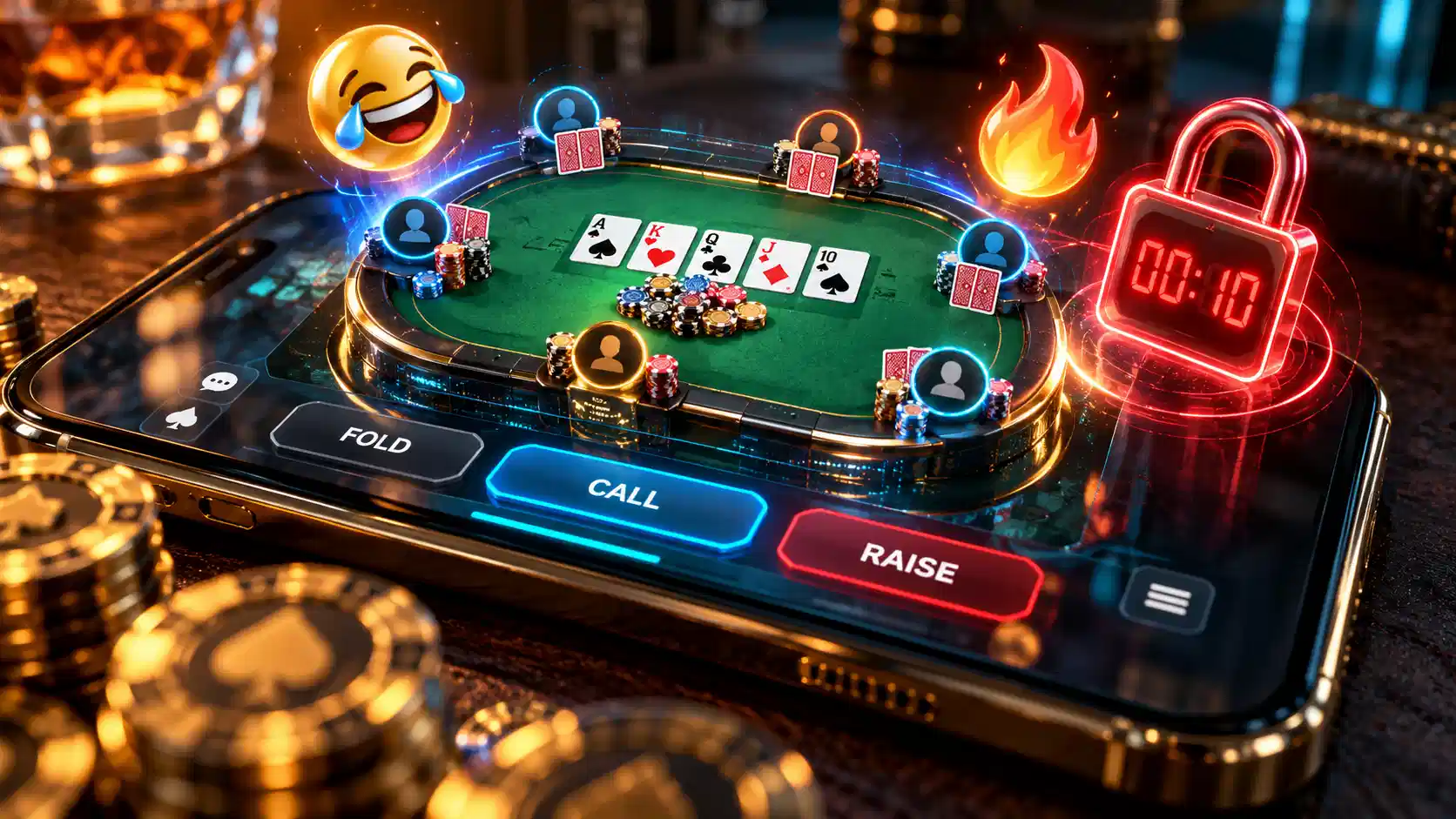
ClubGG table features can be confusing when you first join a private poker club. You might encounter a Call Time restriction after winning a pot, notice that a 6-max table plays differently from a 9-max game, see animated emojis around player avatars, or wonder why one club has a higher level than another.
These features do different things, and understanding them can make your ClubGG experience much easier.
Call Time is a configurable table rule intended to discourage hit-and-run play. 6-max and 9-max describe the maximum number of seats at a table. Emojis are part of the app’s social and chat experience. Club Levels determine how many members a club can accommodate rather than how many people can sit at one table.
ClubGG also offers optional table settings such as No Rathole, time banks, minimum VPIP requirements, all-in features, table restrictions, and player statistics.
Several features were refined during 2026. In particular, ClubGG’s October 21 update redesigned the table-creation interface, improved chat navigation, and introduced additional security and personalization options.
This guide explains the most important ClubGG table settings, what they mean for players, and how club administrators can configure them.
ClubGG Table Features: Quick Explanation
Before examining individual settings, here is a quick reference for the features players ask about most often.
Yes, ClubGG ring tables can be set up with up to 9 seats (full ring), and 6-max tables are also available; the seat count is chosen by the club when the table is created.
| Feature | What It Means | Why It Matters |
|---|---|---|
| Call Time | A table rule designed to discourage winning and immediately leaving | May restrict when you can leave a seat |
| 6-Max | A table with up to six players | Usually creates more short-handed action |
| 9-Max | A table with up to nine players | Allows a full-ring poker game |
| Emojis | Chat reactions and avatar-related expressions | Adds social interaction during games |
| Club Level | The membership-capacity tier of a club | Determines how many members a club can support |
| No Rathole | Restricts returning with a smaller stack after leaving | Discourages certain forms of hit-and-run behavior |
| Time Bank | Additional decision-making time | Helps during difficult hands |
| VPIP Requirement | A minimum participation percentage set by some clubs | Can affect eligibility to remain at a table |
| Smart HUD | Built-in poker statistics and player information | Helps players understand table tendencies |
| PokerCraft | Hand-history and performance-review tools | Supports post-session analysis |
Not every feature is enabled at every table. Club administrators can configure many game settings, and certain features depend on the app version, account permissions, or membership eligibility.
What Is Call Time on ClubGG?
Call Time on ClubGG is a configurable rule designed to discourage hit-and-run behavior at poker tables.
Hit-and-run refers to a situation where someone wins a substantial pot and immediately leaves the game instead of continuing to participate.
Some club administrators enable Call Time to discourage this behavior and promote more consistent table participation.
Depending on the table’s configuration, Call Time may activate when a player’s winnings reach a specified threshold and may require additional participation before the normal leave-seat option becomes available.
However, the exact mechanics depend on the table’s configured rules.
ClubGG does not publish one universal Call Time duration that applies to every club.
How Does ClubGG Call Time Work?
Consider a hypothetical poker table where the administrator has configured Call Time to activate when a player reaches a certain amount of profit.
Suppose that threshold is 30 big blinds.
If a player reaches the qualifying profit level, the table may activate the configured Call Time restriction.
The player may then need to satisfy the required remaining hands or participation period before leaving normally.
However, 30 big blinds is an illustrative threshold, not a universal ClubGG default.
The actual trigger and duration must be checked in the specific table’s rules.
Players should review the information icon beside Call Time in the table settings or ask their club administrator for the exact requirements.
Why Can’t I Leave a ClubGG Table?
If you are trying to leave and ClubGG displays a message indicating that Call Time has not elapsed, the table may have an active Call Time restriction.
Before assuming the app is malfunctioning:
- Check the table information for active Call Time or minimum-hand requirements.
- Look for any remaining hand counter or restriction message.
- Check whether the setting was triggered by your current table result.
- Ask the Club Master or an authorized Manager to explain the table policy.
- If the displayed requirement has been satisfied but the restriction remains, contact ClubGG support and provide the exact error message.
Players have previously discussed cases where a displayed Call Time counter appeared inconsistent with the ability to leave. However, those community reports do not establish that every such message is a software bug.
The table may have more than one active restriction, or the behavior may require technical investigation.
Is Call Time the Same as a Time Bank?
No. These are completely different features.
| Call Time | Time Bank |
|---|---|
| Relates to a table’s participation or leave-seat policy | Provides extra time to make a decision during a hand |
| May be triggered by conditions involving table results | Used when a player’s decision timer needs additional time |
| Usually controlled through table policies | Controlled through action-time and time-bank settings |
| Intended partly to discourage hit-and-run | Intended to reduce rushed poker decisions |
If your Time Bank runs low, it does not automatically mean Call Time has been activated.
Likewise, a Call Time restriction is not simply a request to make your next poker decision faster.
ClubGG Call Time vs No Rathole: What’s the Difference?
Call Time and No Rathole are often grouped together because both can discourage hit-and-run behavior.
However, they address different parts of a player’s session.
Call Time concerns when a player may leave under a particular table’s participation policy.
No Rathole concerns how a player may return after leaving.
For example, imagine someone sits with 100 big blinds, wins several pots, and leaves with 180 big blinds.
At a table with a No Rathole restriction, the player may be prevented from returning with a smaller stack during a specified period.
The exact requirement depends on the table settings.
No Rathole is therefore not identical to Call Time, and switching one feature on does not necessarily enable the other.
Should You Avoid Tables With Call Time?
Not necessarily.
Some players prefer tables where participants cannot immediately leave after a large win. Others want the flexibility to end a session at any time.
The important point is transparency.
Before joining a table, understand whether Call Time is enabled and what participation requirements apply.
If you have only a limited amount of time available, choose a game whose table rules fit your schedule.
ClubGG 6-Max vs 9-Max: What’s the Difference?
The main difference between ClubGG 6-max and 9-max tables is the number of available seats.
A 6-max table accommodates up to six players.
A 9-max table accommodates up to nine players and is commonly called a full-ring table.
However, the differences go beyond the appearance of the table.
When fully occupied, the two formats create different positional situations, blind frequencies, and strategic requirements.
6-Max vs 9-Max Comparison
| Feature | 6-Max | 9-Max |
|---|---|---|
| Maximum seats | 6 | 9 |
| Table style | Short-handed | Full-ring |
| Starting-hand selection | Generally wider in comparable situations | Generally tighter in early positions |
| Blind frequency when full | Once every 6 hands | Once every 9 hands |
| Early-position pressure | Fewer players remaining behind | More players remaining behind |
| Typical strategic emphasis | Position, blind defense and active decisions | Position, starting-hand discipline and multiway awareness |
| Suitable for | Players comfortable with short-handed poker | Players preferring larger tables |
These are general strategic differences, not guarantees that every 6-max table is aggressive or every 9-max table is passive.
Actual gameplay depends on the players, rules and number of occupied seats.
Why Are Blinds More Frequent in 6-Max Poker?
At a fully occupied six-player table, each player moves through the big blind once every six hands.
At a fully occupied nine-player table, that happens once every nine hands.
Over a hypothetical 100 hands, the expected big-blind postings are approximately:
| Format | Big Blind Postings per 100 Hands |
|---|---|
| 6-max | 16.7 |
| 9-max | 11.1 |
These calculations assume a full table, continuous participation and a normal rotation of the blinds.
They explain why players at short-handed tables cannot rely on waiting indefinitely for premium starting hands.
However, they do not mean a player must call or raise with every mediocre hand.
Does 9-Max Mean There Are Always Nine Players?
No.
9-max describes the maximum number of seats, not the number of people currently participating.
For example, a 9-max table with only six active players may play strategically more like a six-handed game.
Likewise, a 6-max table with only three active players is temporarily a three-handed game.
Therefore, the number of actual players matters more than the table’s maximum seating label when making strategic decisions.
Which Is Better: ClubGG 6-Max or 9-Max?
Neither is universally better.
Six-max can appeal to players who enjoy frequent blind battles and short-handed decisions.
Nine-max may appeal to those who prefer a larger table with more early-position considerations.
However, table quality depends heavily on the opponents, game format and house rules.
For a deeper strategic comparison, read our 6-Max vs Full-Ring Poker Strategy Guide.
How to Choose Between 6-Max and 9-Max on ClubGG
ClubGG allows club administrators to configure table size when creating eligible games.
Published application guides describe ring-game table sizes ranging from heads-up through nine-handed play.
However, individual players cannot simply turn an existing six-seat table into a nine-seat table through a personal preference setting.
The seating limit is part of the table configuration.
To find a particular format:
- Open ClubGG and enter an approved club.
- Review the available tables in the club lobby.
- Check the current player count and maximum seat count.
- Compare the game format, table policies and available seating.
- Join the table that matches your preferred format.
If your club does not offer the table size you want, ask an authorized club administrator whether another configuration is available.
How Do Emojis Work on ClubGG?
ClubGG includes social features that allow players to interact while sitting at poker tables.
These include table chat and emoji reactions.
Emojis can communicate simple reactions without requiring a long message.
For example, players may use a reaction to celebrate an interesting hand or respond to a surprising outcome.
However, emoji interactions are separate from the actual poker betting controls.
Sending an emoji does not constitute a call, raise, fold or other official game action.
How to Send Emojis on ClubGG
In a supported table interface:
- Open the table chat or emoji interface.
- Expand the available emoji list if it is collapsed.
- Select the reaction you want to use.
- Confirm or send the reaction using the available interface control.
The exact buttons and location of the emoji picker can vary between mobile and desktop versions.
Additionally, table-level chat restrictions may prevent certain interactions.
What Are ClubGG Dynamic Emojis?
ClubGG introduced Dynamic Emoji functionality in its August 2026 application update.
According to the official application version history, selected avatars can express emotions through matching animated or dynamic emoji reactions.
Recommended emojis can also adapt to the avatar currently selected by the player.
However, that does not mean every avatar supports identical animations or reactions.
The available expressions depend on the supported avatar and current application version. The feature arrived with the August 5, 2026 ClubGG update, which we cover in a separate guide.
What Changed With Emojis in the October 21 Update?
ClubGG’s official October 21 update notes describe an improvement to the chat interface.
Players can now collapse the emoji list to expand the chat area and see more messages.
This is primarily a usability improvement.
It does not mean the update introduced an entirely new poker betting action or changed how hands are evaluated.
Why Can’t I See Emojis on ClubGG?
If emojis are missing, consider several possible explanations:
- The emoji list may be collapsed.
- The table may have chat restrictions enabled.
- Your current app version may not display the same interface as another player’s.
- Certain dynamic expressions may depend on the selected avatar.
- The interface may be affected by a temporary display problem.
Start by checking the chat panel and your app version. If the whole app is acting up, not just emojis, see our ClubGG app problems and fixes guide.
If the feature is consistently unavailable, use the operator’s official support channel rather than installing unofficial software modifications.
What Are ClubGG Club Levels?
Club Levels determine a club’s membership capacity, not the number of players allowed at one poker table.
This distinction is especially important because the word “level” can refer to several unrelated concepts in poker.
For example, a tournament has blind levels. A player may have a membership subscription. A private club has a capacity level.
These should not be confused.
ClubGG uses a system in which a new club starts with a Free Level and can upgrade its membership capacity through higher paid levels.
ClubGG Club Levels at a Glance
A new club starts at the Free Level with room for 100 members. Level 1 raises the limit to 250 members, and the published ladder tops out at Level 9 with 50,000 members. For the full list of levels, how upgrades work and who can make them, see our guide to creating a ClubGG club. Always check the in-app Club Level screen for current limits.
For example, a Free Level club with 80 members has not necessarily reached its membership limit.
However, a club approaching 100 members may need additional capacity if it intends to expand.
Does a Level 9 Club Have Better Poker Tables?
Not automatically.
A higher Club Level primarily means a larger membership allowance.
It does not guarantee better opponents, fairer gameplay, better poker decisions, lower fees, or more active tables.
Likewise, a Free Level club can still operate a nine-seat table if its configuration and available permissions support that format.
There is no direct relationship between a nine-player table and a Level 9 club.
How Can Club Administrators Upgrade Their Club Level?
For authorized club administrators, the typical path is:
- Open the relevant ClubGG club.
- Enter the club administration menu.
- Select Club Level.
- Review the available levels, member limits and subscription prices.
- Choose the appropriate level and follow the purchase instructions.
Club Level subscriptions are separate from individual player memberships.
Prices and billing methods may vary, so administrators should check the current in-app terms before committing to a subscription.
Is Club Level the Same as Platinum Membership?
No.
A club’s capacity subscription is different from an individual’s ClubGG Membership.
For example, a player’s Platinum subscription does not automatically upgrade every private club they belong to.
Likewise, a club with a large membership capacity does not automatically provide Platinum benefits to all its members.
See our ClubGG Platinum Membership Guide for the separate player membership system.
ClubGG Club Master, Manager, Agent and Player: Who Controls Table Settings?
ClubGG uses distinct administrative roles.
These roles determine who can manage club operations and who primarily participates in games.
According to ClubGG’s official guide to club roles, the principal roles are:
| Role | Primary Responsibility |
|---|---|
| Club Master | Highest administrative authority within an individual club |
| Club Manager | Assists with administration using permissions granted by the Club Master |
| Agent | Supports and manages players within an assigned downline |
| Player | Participates in club games and tournaments |
A Club Master may delegate game-management permissions to Club Managers.
However, Managers do not necessarily have identical permissions because the Club Master can restrict individual capabilities.
Therefore, if you need a table setting changed, contact the Club Master or an authorized Manager rather than assuming any player or agent can edit it.
For the full role breakdown and how to set a club up from scratch, read our guide to creating a ClubGG club.
How to Create a ClubGG Poker Table in 2026
ClubGG’s October 21 update redesigned the table-creation interface to separate essential settings from advanced options.
This makes it easier for authorized administrators to locate commonly used controls.
According to the official update, the underlying configuration rules remained unchanged during the redesign.
Step-by-Step Table Creation
- Open your ClubGG club with an account authorized to create games.
- Select Create New Table.
- Choose a supported game type, such as No-Limit Hold’em or Pot-Limit Omaha.
- Select the appropriate format, such as Ring Game.
- Enter the table name and choose its maximum seat count.
- Configure blinds, buy-in limits, action time and time-bank settings.
- Review the Advanced Options and Table Policies sections.
- Check Call Time, No Rathole, VPIP, restrictions and other optional features as applicable.
- Review all settings before creating the table.
- Use Save Template if you want to reuse the configuration later.
Some settings may not be editable after the table has started.
Therefore, verify the game format, seat count and important participation rules before launching a table for members.
Which Table Settings Should Beginners Check First?
For someone joining a club for the first time, the most useful settings are:
| Setting | What to Check |
|---|---|
| Game type | Whether the table is Hold’em, Omaha or another variant |
| Seat count | 6-max, 9-max or another configuration |
| Blinds | The table’s betting structure |
| Buy-in limits | Minimum and maximum chips allowed when joining |
| Call Time | Whether participation or leave-seat restrictions apply |
| No Rathole | Whether returning with a smaller stack is restricted |
| VPIP requirement | Whether the table requires a minimum participation percentage |
| Time Bank | Whether extra decision time is available |
| Chat restrictions | Whether messages and emojis are permitted |
Reviewing these settings can prevent confusion after a session begins.
What Is Mandatory VPIP on ClubGG?
VPIP means Voluntarily Put Money in Pot.
It is a poker statistic measuring how frequently a player voluntarily enters the pot before the flop.
For example, calling a raise or making a voluntary preflop raise generally contributes to VPIP.
Posting the mandatory big blind and checking when no additional bet is required does not count as voluntarily entering the pot.
Some ClubGG tables use a Mandatory VPIP setting to discourage excessive inactivity.
Under this system, players may be required to maintain a specified participation percentage over a relevant sample of hands.
However, the threshold and enforcement conditions are set by the particular table rather than being one universal requirement across ClubGG.
Players should check the table’s VPIP rules before joining.
For a full explanation, see our ClubGG VPIP Explained guide.
Other Useful ClubGG Table Features
Call Time, seat count and emojis are only part of the app’s table functionality.
ClubGG also offers several features that influence gameplay, convenience and security.
Time Bank and Action Time
Action Time determines how much time a player normally has to act.
Time Bank provides additional decision time under the table’s configured conditions.
However, the available duration and replenishment rules can differ between tables and formats.
Sit Out and All-In Sit Out
Players may be able to temporarily sit out rather than leave a table completely.
However, sitting out is not the same as an unrestricted ability to reserve a seat indefinitely.
In the October 21 update, ClubGG reduced the All-In Sit Out grace period from 15 minutes to five minutes.
The official explanation states that this change was intended to prevent inactive seats from remaining occupied for unnecessarily long periods.
Bomb Pots and Double Boards
Some ClubGG tables support optional special-hand formats.
For example, Bomb Pot settings can introduce hands where participating players contribute an ante before seeing the flop.
Double Board formats use two community-card boards under the applicable rules. For strategy, see our guide to double board bomb pots.
However, these features must be understood separately from ordinary Hold’em or Omaha rules.
The exact format matters because it can change how hands are played and pots are awarded.
ClubGG’s October 21 update notes also describe a new game mode called Cucurucho. Every participating player pays an ante, the flop is dealt straight away with no pre-flop betting, and on the flop players can only bet the pot or fold, with no further betting after that. The turn and river then follow and the pot is awarded. Clubs can set the ante, how often a Cucurucho hand is triggered, and whether it uses a single or double board.
Run It Multiple Times
Some tables allow eligible all-in situations to use multiple runouts.
For example, when two players are all in before the river, the remaining cards may be dealt more than once if the rules and required player choices permit it.
This changes how the result is distributed across runouts. Our run it twice guide explains the idea in more detail.
However, it does not automatically change the mathematical strength of a player’s hand at the point of the all-in.
Smart HUD and PokerCraft
ClubGG provides built-in statistics and hand-review functionality.
Smart HUD presents player statistics and session information.
PokerCraft allows users to examine eligible hand histories, session performance and related analysis.
However, access to particular metrics or functions may depend on membership and product eligibility.
These built-in features should not be confused with permission to use unauthorized third-party tracking or automation software.
Screen Guard and Action Voice
ClubGG’s October 21 update also introduced Screen Guard and Action Voice options.
Screen Guard is a PC-version feature designed to help protect game-window content from screenshots and screen recordings.
Action Voice allows players to select a voice used for certain game actions, such as Bet, Raise, Check and All-In.
The selected voice can also be heard by other players at the same table.
However, Action Voice is a sound feature, not the same as emoji chat.
Both can add personality to a poker session without replacing the actual betting controls.
Why Do ClubGG Tables Feel Different Between Clubs?
Two ClubGG clubs can use the same application but provide noticeably different playing experiences.
For example, one club might organize six-handed Hold’em tables, while another concentrates on nine-handed games or several Omaha formats.
Some administrators may enable Call Time and minimum VPIP requirements.
Others may prefer fewer restrictions.
Meanwhile, table capacity, supported formats, blind structures, and available games can all differ.
Therefore, an app feature being supported does not establish that every club uses it.
Players should evaluate the actual table rules rather than judge a club only by its name or membership level.
If you are comparing private poker communities, explore our poker club list to learn more about available clubs and their different formats. To see how clubs group together, read our ClubGG unions guide.
Frequently Asked Questions About ClubGG Table Features
What is Call Time in ClubGG?
Call Time is a configurable table policy intended to discourage hit-and-run behavior. Depending on the table’s settings, a player may need to satisfy additional participation requirements before leaving normally.
Why does ClubGG say Call Time has not elapsed?
The table may have an active Call Time or minimum-hand requirement. Check the table information and any remaining counter. If the displayed conditions appear satisfied but the message persists, contact the club administrator or ClubGG support.
Is ClubGG Call Time based on minutes or hands?
Community documentation describes configurations involving participation periods and hand counters. The precise conditions depend on the table’s settings. Check the in-app information tooltip rather than assuming one universal duration.
Can I leave a ClubGG table after winning?
That depends on the table policies. A table with Call Time enabled may restrict immediate departure after certain conditions are met. Review the rules before joining.
What is the difference between Call Time and No Rathole?
Call Time concerns participation and departure conditions. No Rathole concerns restrictions on returning with a smaller stack after leaving.
Does ClubGG have 6-max tables?
Yes. ClubGG supports six-seat tables in eligible games. Availability depends on the club’s table setup.
Does ClubGG have 9-max tables?
Yes. Eligible ClubGG ring tables can be configured with up to nine seats.
Which is better, 6-max or 9-max?
Neither is universally better. Six-max generally creates more frequent blind obligations and short-handed decisions when full. Nine-max provides more seats and different early-position dynamics.
Can a 9-max table play six-handed?
Yes. Nine-max indicates maximum capacity. If only six players are active, the current game is effectively six-handed.
Can I switch an existing ClubGG table from 6-max to 9-max?
Table size is normally established during creation. If an existing table’s seating configuration cannot be edited, an authorized administrator may need to create another table.
How do I use emojis on ClubGG?
Open the supported chat or emoji interface, expand the emoji list if needed, and select a reaction. Available controls vary by device and version.
What are Dynamic Emojis on ClubGG?
Dynamic Emojis are avatar-related expressions added in the August 2026 update. Selected avatars support matching reactions, and recommended emojis can adapt to the active avatar.
Why can’t I see emojis on my ClubGG table?
The emoji panel may be collapsed, chat may be restricted, or your interface may differ by version or avatar. Check the chat settings and update the official application if necessary.
What is ClubGG Club Level?
Club Level is the membership-capacity tier of a private club. Higher levels support more club members.
How many members can a free ClubGG club have?
The published 2026 Club Level ladder lists a capacity of 100 members for the Free Level.
What is the highest ClubGG Club Level?
The published ladder reaches Level 9, with a capacity of up to 50,000 club members. Current availability should be checked in the app.
Does Club Level affect the maximum number of seats?
No. Club Level determines club membership capacity, while the table-size setting determines how many seats a particular table supports.
Is Club Level the same as Platinum Membership?
No. Club Level concerns the club’s size. Platinum is an individual membership product with its own eligibility and benefits.
Who can change ClubGG table settings?
The Club Master and authorized Managers can manage eligible club functions. The exact permissions depend on the club’s administrative configuration.
What is Mandatory VPIP on ClubGG?
Mandatory VPIP is an optional participation rule that may require players to voluntarily enter a minimum percentage of hands over the relevant measurement period.
What changed in the October 21 ClubGG update?
ClubGG redesigned the table-creation interface, improved the chat and emoji layout, adjusted the All-In Sit Out timer, and introduced new features including Screen Guard, Action Voice and the Cucurucho game mode.
Are ClubGG club chips worth anything outside the app?
No. Club chips are play chips used for fun inside the app. ClubGG describes its private clubs as free-to-play social poker.
Where can I get the official ClubGG app?
Visit the official ClubGG website for supported platforms, updates and help resources.
Final Thoughts: Understand the Table Before You Join
ClubGG provides more table customization than many players realize.
However, different features serve very different purposes.
Call Time and No Rathole relate to participation and rejoining restrictions. Six-max and nine-max determine table seating capacity and affect poker strategy. Emojis and chat features provide social interaction, while Club Levels determine how many people a private club can accommodate.
Other settings, including VPIP requirements, time banks, all-in options and table restrictions, can further change the playing experience.
The October 21 update also made table creation easier to navigate and improved how players interact with the chat and emoji interface.
For players, the most useful habit is to review a table’s rules before sitting down, particularly if Call Time or mandatory participation conditions are enabled.
For administrators, clearly communicating the table settings can help players understand what to expect and reduce avoidable disputes.
The key takeaway: ClubGG’s table features are not one-size-fits-all. Understand Call Time, check whether you’re joining a 6-max or 9-max game, use the available social features appropriately, and remember that Club Level is about membership capacity, not stronger cards or better poker outcomes.
Editorial note: This guide reflects ClubGG’s published October 2026 features and supporting application documentation. Some Call Time mechanics, club-level capacities, and table controls are based on independent documentation and may vary by configuration or software version. ClubGG is a free-to-play social poker platform; club chips are play chips with no value outside the app.